Your eLearning content, in plain text.
LESSON.md is an open format for block-based eLearning content. Portable between tools. Readable by humans.
Built to travel between tools.
Instructional designers, academics, and subject matter experts pour time and expertise into learning content. It shouldn't be locked inside a single tool. LESSON.md is how it gets out into the open.
Tied to one tool
Whether you're using multiple tools or switching to a new one, your content ends up in formats that don't talk to each other.
Stuck reformatting
Course creators work across authoring tools, presentation software, and more. Every handoff means copy-pasting, reformatting, and losing structure.
Invisible to modern AI tools
Large language models can help you create and improve lessons, but only if they can read your content. Most authoring formats weren't designed for that.
See what a lesson looks like.
It's just a text file. Anyone can read it. Any tool can parse it.
1---2title: Fire Safety Basics3---45::: text6## What to do in a fire emergency78Every second counts. Knowing what to do9before a fire starts can save lives.10:::1112::: image13src: https://example.com/fire-safety.jpg14alt: Fire evacuation route map15caption: Know your building's evacuation routes16:::1718::: knowledge-check19type: multiple-choice20question: What should you do first in a fire?21instructions: Select the correct answer.22maxAttempts: 323correct-feedback: Staying calm helps you make better decisions.2425- [ ] Run to the nearest exit26- [x] Stay calm and assess the situation27- [ ] Open the nearest window28:::2930::: process31orientation: vertical32style: standard3334## Check the route35Find the nearest safe exit.3637## Leave safely38Follow the evacuation plan.39:::
What it means for you.
Whether you're an instructional designer, teacher, course creator, or eLearning software vendor, LESSON.md was designed for both the people writing lessons and the tools that read them.
- Move lessons between any block-based tool that adopts the format
- Read and edit your content in any text editor
- Use AI to draft, review, and improve lessons
- Never lose work to a vendor shutdown or format change
- Import and export a format your users already understand
- Build on Markdown: parsers exist in every language
- Attract users who value portability and openness
- Authoring tools, LMS platforms with built-in editors, and AI systems can all speak the same language
How it works.
A LESSON.md file goes from plain text to published lesson in three steps.
Write your lesson
Create a LESSON.md file in any text editor. Use Markdown for content and simple directives for interactive blocks.
Import it
Bring your file into any tool that supports the format. No copy-pasting, no reformatting.
Add media and publish
Drop in images, video, and other assets in your authoring tool. Your lesson structure is already in place.
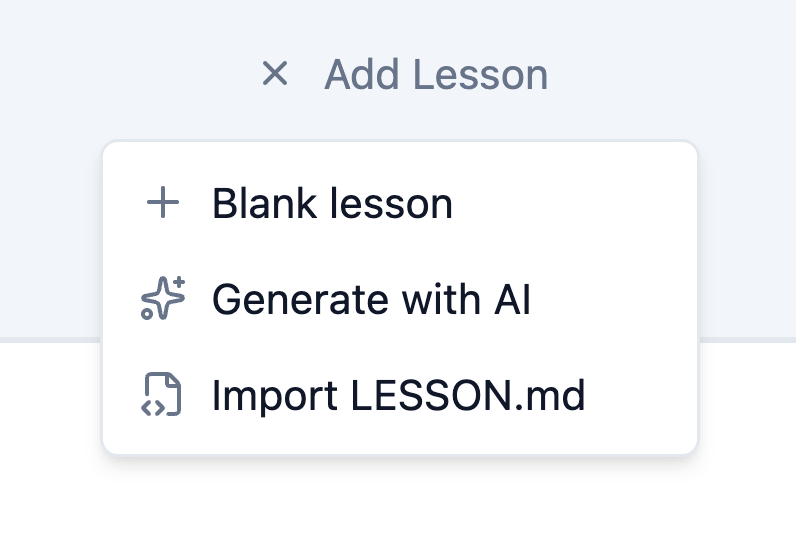
Bundle multiple lessons into a course.
Zip a folder of LESSON.md files and any tool that supports the bundle layout will unpack them into a complete course. Numbered prefixes order sections and lessons. README.md is ignored. Drop a media/ folder at the root for bundled images and audio. An ASSESSMENT.md file at the root adds a scored quiz, and a COURSE.md file sets the course title, description, and other metadata.
Get the lesson-md skill.
The lesson-md skill teaches Claude, Codex, or another agent the LESSON.md format. Describe the course you need in plain language and get back files ready to import.
Ask in plain language
Ask for a lesson, a scored assessment, or a whole course. There is no template to fill in and no syntax to learn.
Ready to import
It writes the actual format, choosing block types deliberately. You get a .md file or a course .zip.
Checked before handover
The skill validates its own output against the format, so what reaches you is ready to import.
Free and open source. Install it in Claude, Codex, or another agent.
Easy to adopt. Impossible to outgrow.
LESSON.md came out of patterns we recognized while building Slate. The format starts at the lesson level: a single, self-contained unit of learning. It's open, so other vendors can use it, extend it, or leave it.
LESSON.mdJust Markdown
If your tool can read Markdown, you're most of the way there. No proprietary SDK or license required.
Make it yours
Each vendor creates their own LESSON.md based on shared patterns, then adds properties for their own block types. Other tools simply ignore what doesn't apply.
Extensible by design
Standard Markdown for content. A simple directive syntax for interactive blocks. The format grows with your tool, not against it.
Explore LESSON.md.
Try it in an authoring tool, or use it in your own product.
Slate eLearning is a Canadian startup building open tools for eLearning. When you subscribe to a paid plan, you help us unlock funding from Canadian AI innovation programs — so your support goes further than you might think.
Format changelogv1.9 latest
- v1.9
- Add step-by-step instructions with Process blocks or show milestones with Timeline blocks. Choose a vertical or horizontal layout and one of three visual styles for either block.
- v1.8
- New: COURSE.md. An optional file placed at the course bundle root that sets course-level metadata: title, description, author, duration, course id, and language.
- v1.7
- New knowledge-check property: instructions. An optional learner-facing line shown under the question, such as "Select the correct answer." It applies to all three question types and to ASSESSMENT.md questions.
- v1.6
- New: ASSESSMENT.md. A LESSON.md file, renamed and placed at the course bundle root, becomes the course's scored assessment. It adds attempts, pass, and randomize frontmatter and is limited to text, image, and knowledge-check blocks.
- v1.5
- New knowledge-check question behaviour controls: Maximum attempts, Reveal correct answer when locked, Show answer-level feedback, Show general feedback, and Eliminate wrong options (multiple-choice only). Each setting inherits the course default when omitted.
- v1.4
- New layout presets: masonry-2 and masonry-3 for variable-height column flow.
- v1.3
- New block: flip-card-carousel. A carousel of flip cards where each card flips independently.
- v1.2
- New block: labeled-graphic. Images with up to 10 clickable hotspots.
- Removed the code block from the spec.
- v1.1
- New block: note. Highlighted information boxes.
- v1.0
- Initial public release of the format.
Contributors
- Dan Bashaw, LXD Integral